**[Will's Journal](../index.html)**
(#) **2025/01/29: Physics, Shadows, and Refactor**
(###) **Physics and Shadows**
As the engine becomes more developed, I have the chance on non-essential features. I decided to turn to physics next. As one of the three pillars of a game engine, I felt it was important to tackle physics after getting the game and renderer portions to a satisfactory level. There’s this “new and upcoming” physics library all the cool kids are using called Jolt, which was used in Horizon Forbidden West. The physics implementation seems fairly mature and looked perfect for my “modern” game engine.
I wasn’t too familiar with how physics implementations should be structured (beyond how engines like Unreal and Unity do it) and expected this to be quite the ordeal. But Jolt’s implementation was surprisingly easy to integrate into my engine! The architecture was super simple—so similar to Unity’s implementation that I could just plug and play it in a matter of a few hours.*
*After sorting out all the build/compilation issues.
**In hindsight, it felt like a few hours, but it was actually more like a couple of days.
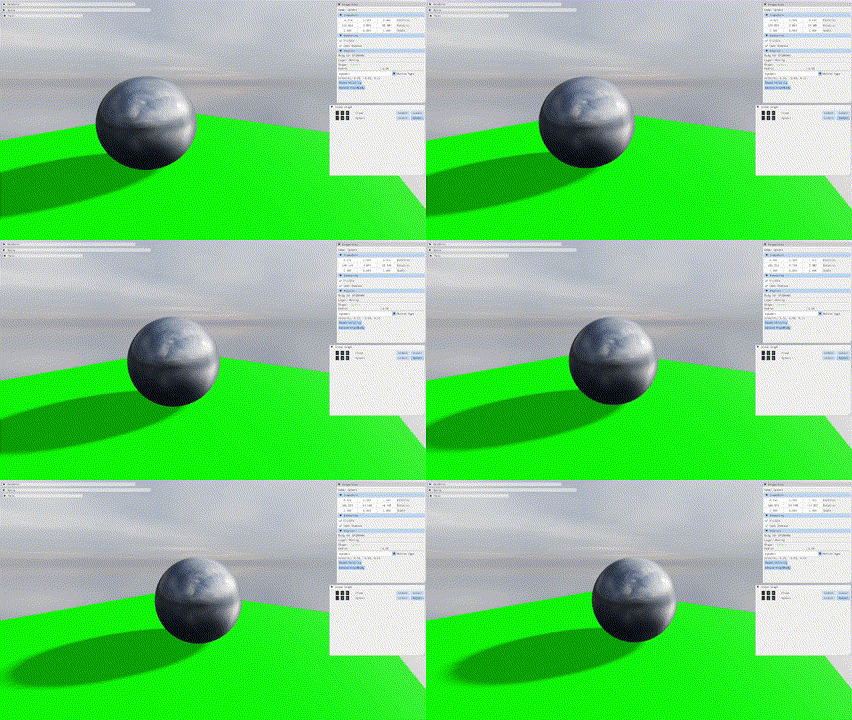
That being said, I did face some issues that had me running in circles. My scene would be unstable for a few seconds at startup, and whenever a physics object was active, the scene would flicker and behave erratically. Turns out I had left the number of collision steps at the default of 1, which was significantly lower than needed (but why does a sphere and a single floor square require so many steps?). Increasing it fixed the issue comfortably. I’m still not entirely sure how a simple timestep parameter can badly affect other game objects/renders that don’t even implement physics, and quite frankly, I’m not too keen on finding out why.
An important detail is that I’m implementing all my systems on a single thread. I’m fairly certain my engine would fall apart if I tried to directly implement multithreading (it doesn’t help that my experience with multithreaded systems is nonexistent), but I’m hopeful that the transition in the future will be smooth.
(###) **Cascaded Shadow Maps**
Next, I decided to tackle cascaded shadow maps because my scene looked a little bland, flat, and static. I’m making a game engine here, not just a renderer!
I had implemented shadow maps a while ago when learning the basics of rendering in OpenGL. So I figured I could just jump straight into implementing cascaded shadow maps in Vulkan—despite having no experience implementing even basic shadows in Vulkan.
Bit of a rocky start, but it was fairly easy to implement shadows. I’m not much of an expert on math/matrix calculations, so I just copied some code from the web. Specifically, I used some logic (or at least derived my final implementation) from both [Alex Tardiff](https://alextardif.com/shadowmapping.html) and [LearnOpenGL](https://learnopengl.com/Guest-Articles/2021/CSM).
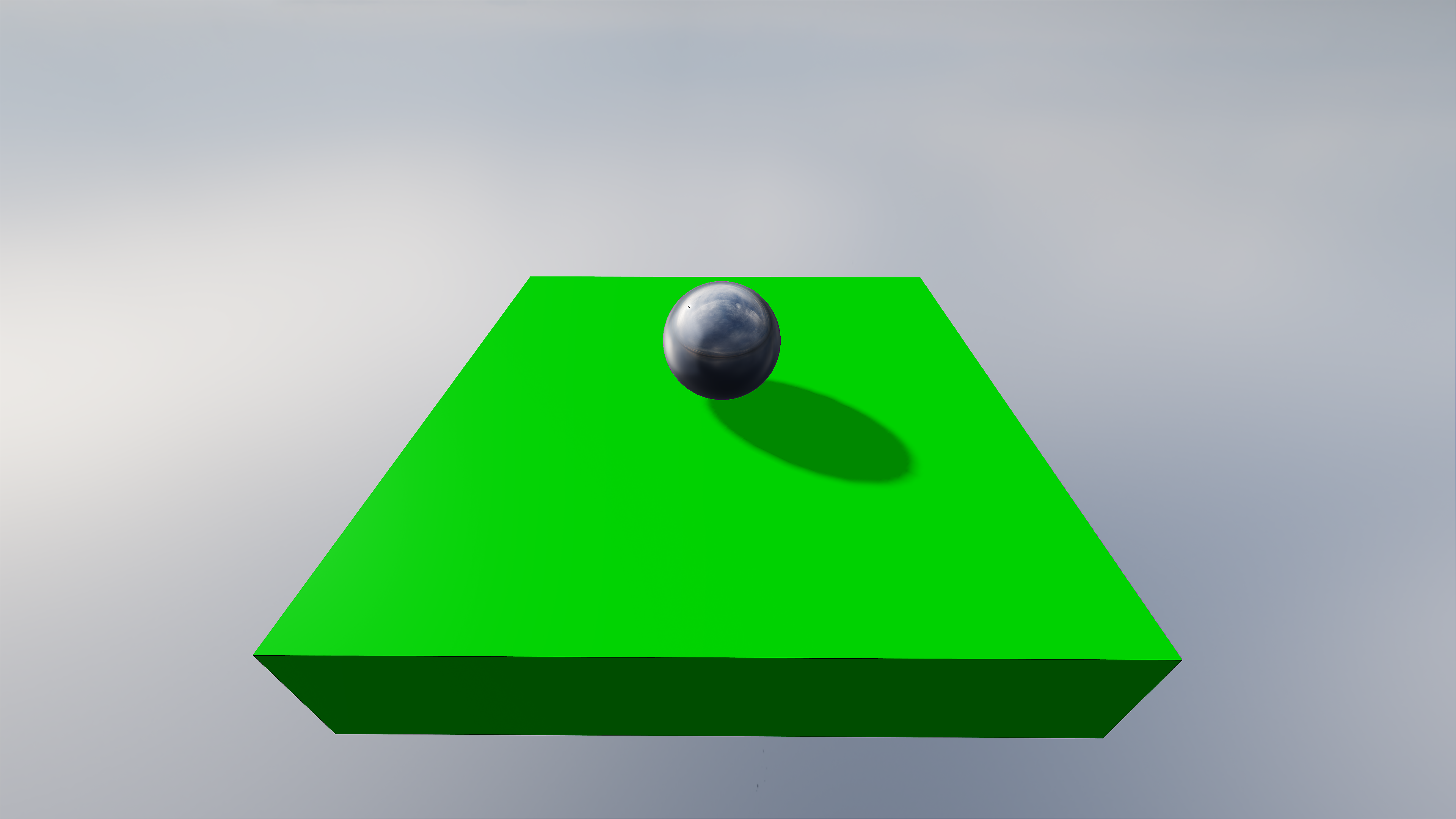

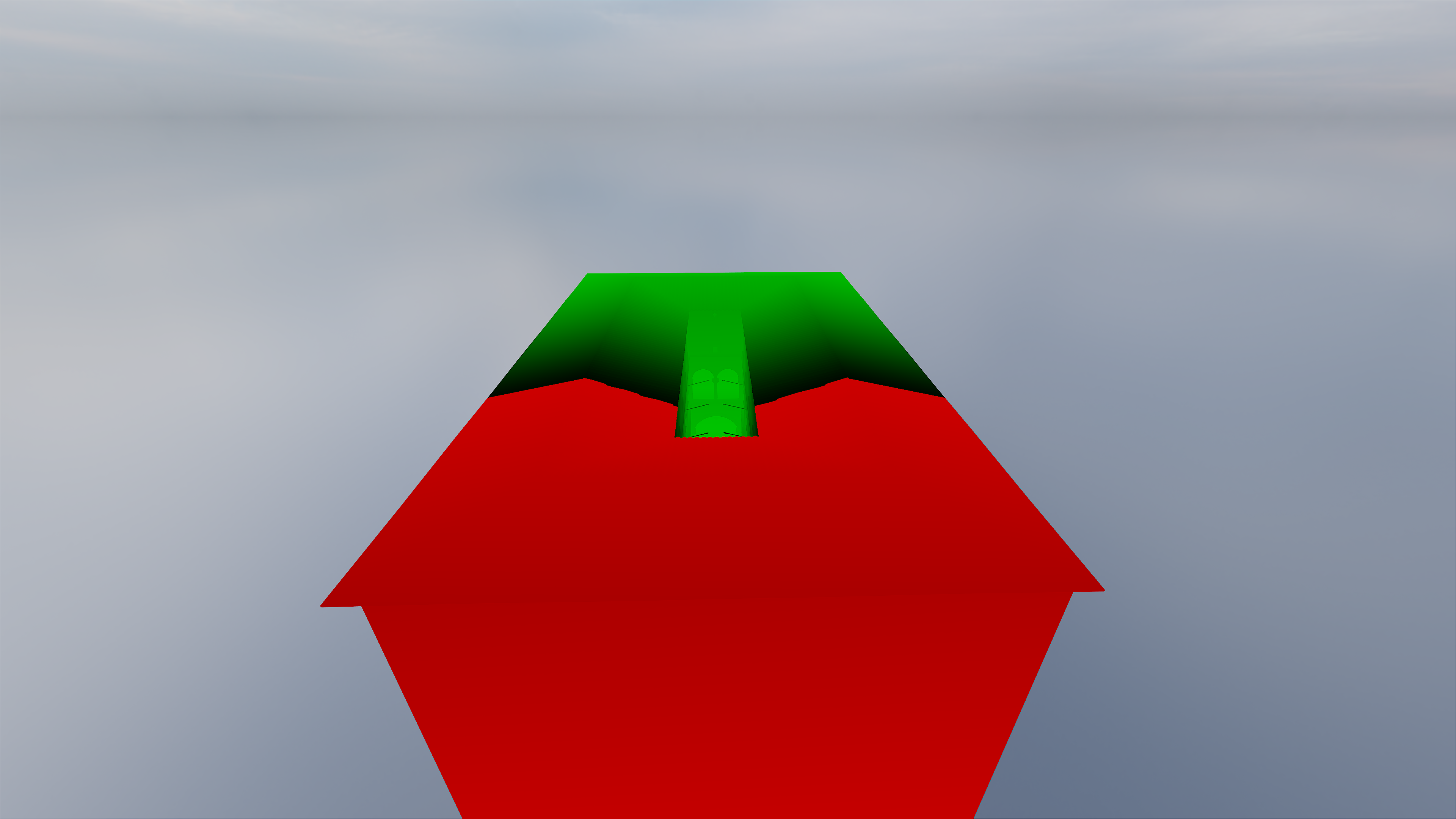
I was actually stuck on a specific issue related to shadow maps for quite a while, which I am now convinced is not a bug - but a feature. The image below demonstrates some incorrect shadows when the camera is way close to the occluding object and the floor it stands on. Why is there a gap there? I attributed it to depth precision issues, but my depth buffer is already R32, it isn't possible to be more precise! I thought long and hard about what could have possibly caused this and finally decided to cheat and open Unity's URP and see what it looks like on there. It's there in Unity too! Feature. Not Bug.
Initially, the shadows appeared extremely pixelated. I thought: Maybe my shadow map resolution is too low? But 2048 isn’t a shabby resolution, so that couldn’t be it. Well, turns out shadow maps aren’t supposed to be aligned to the entirety of your camera’s view frustum. It was actually insane that I thought that was the case (a depth range of ~0.1 -> 1000). Limiting the shadow map distance to around 50–100 fixed it immensely. Though I feel I should figure out a better distance—100 doesn’t feel quite enough—but for now, what I have will do.
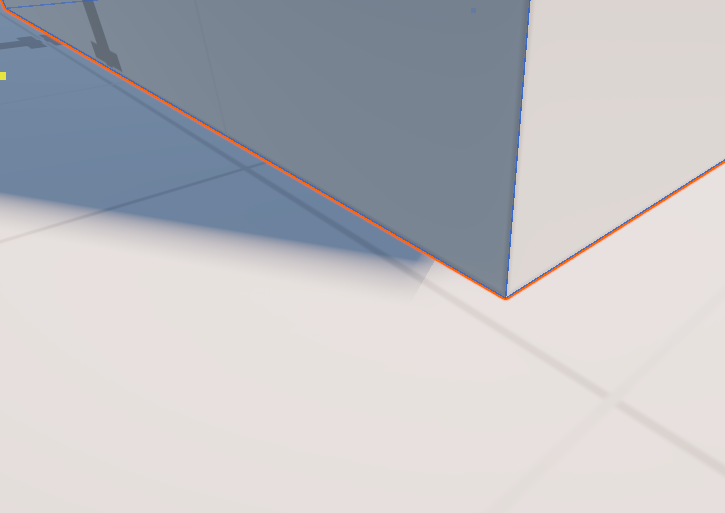
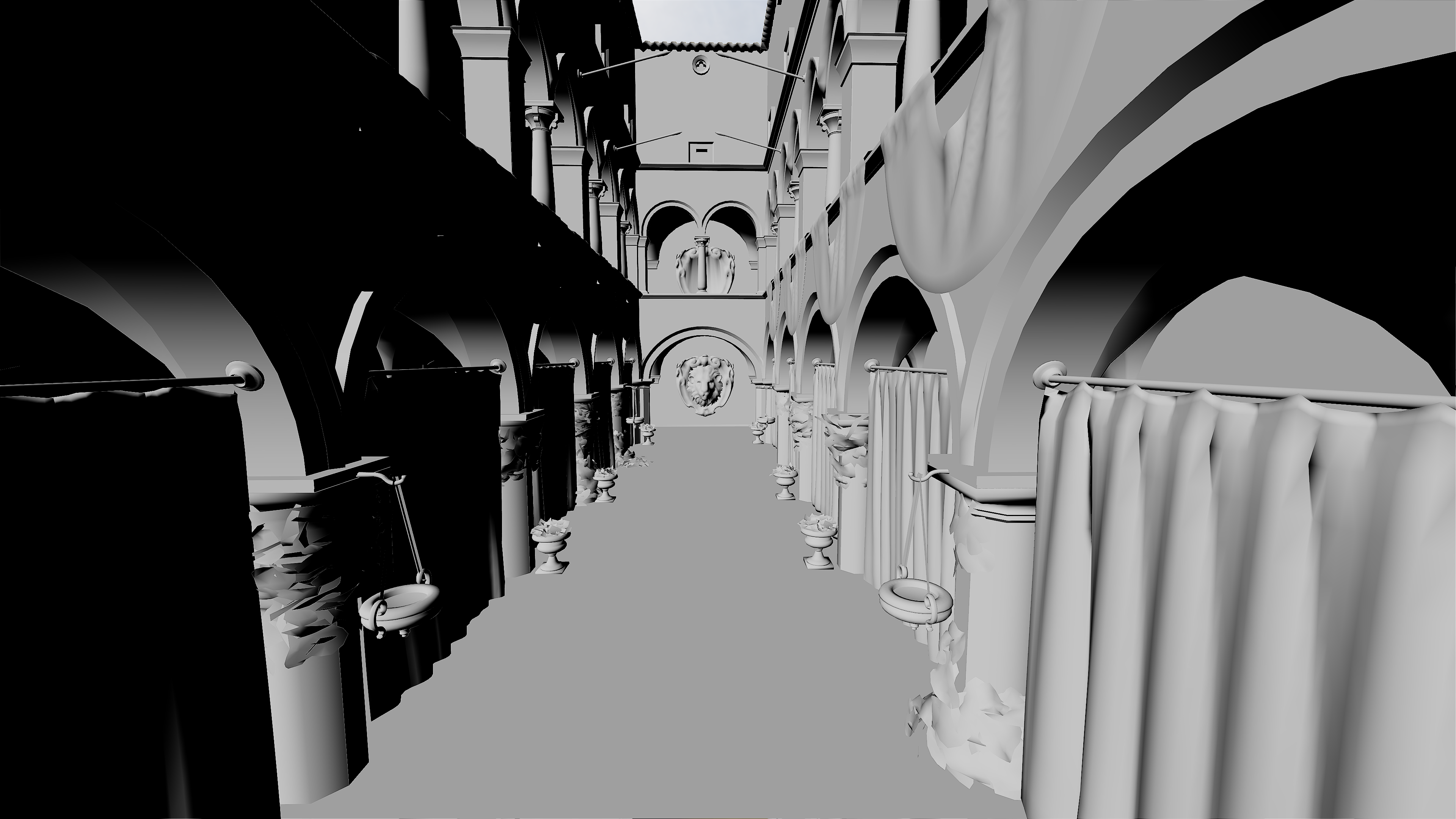
Struggling with shadow maps also encouraged me to improve my debugging tools: basic scene views like normals, PBR data, albedo, shadow factor, cascade level. These aren’t necessarily complex but are important for any amount of real-time graphics development. Since I set up buffer-to-PNG export a while ago, I can export some of my scenes to show you what these look like!
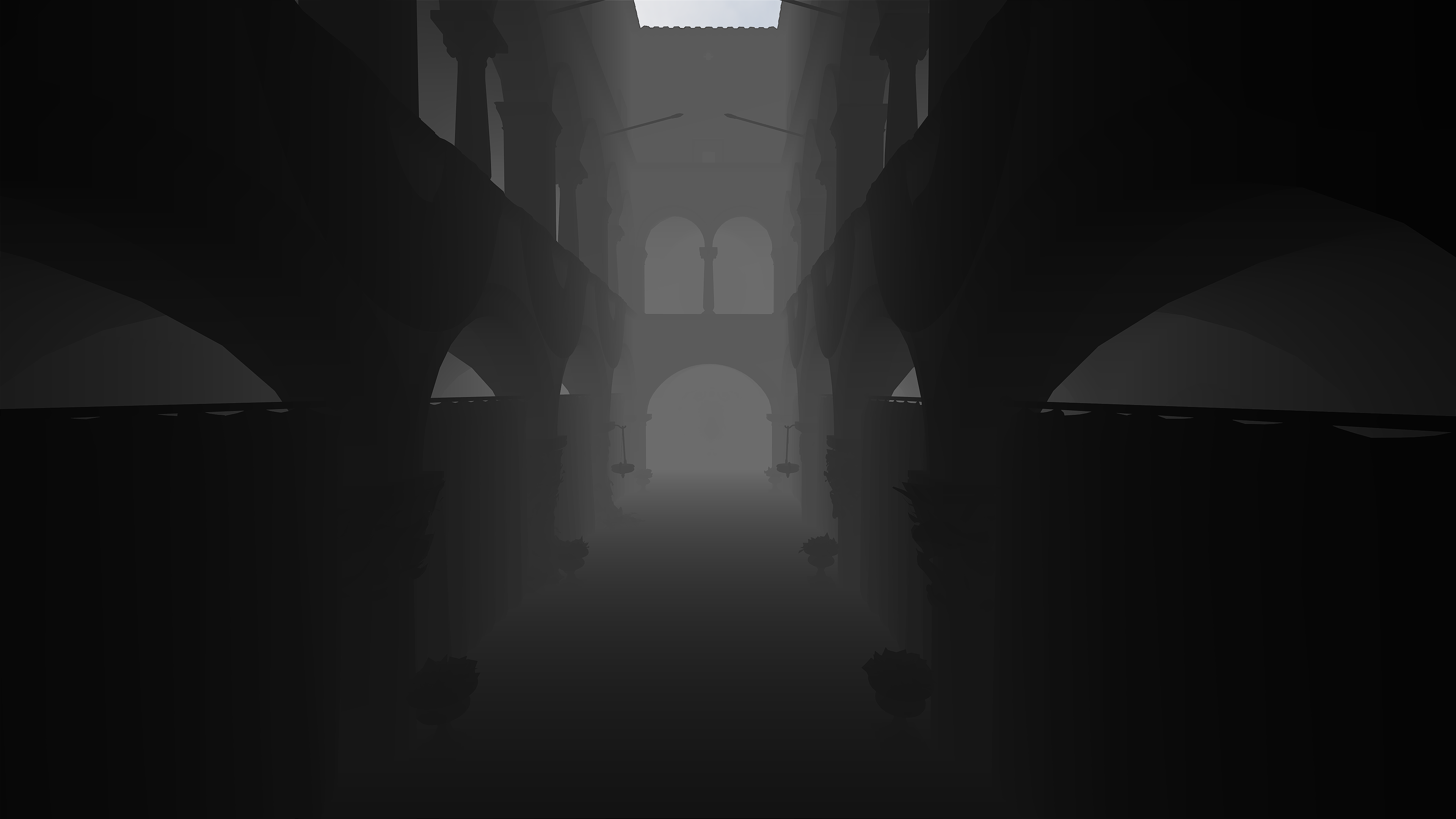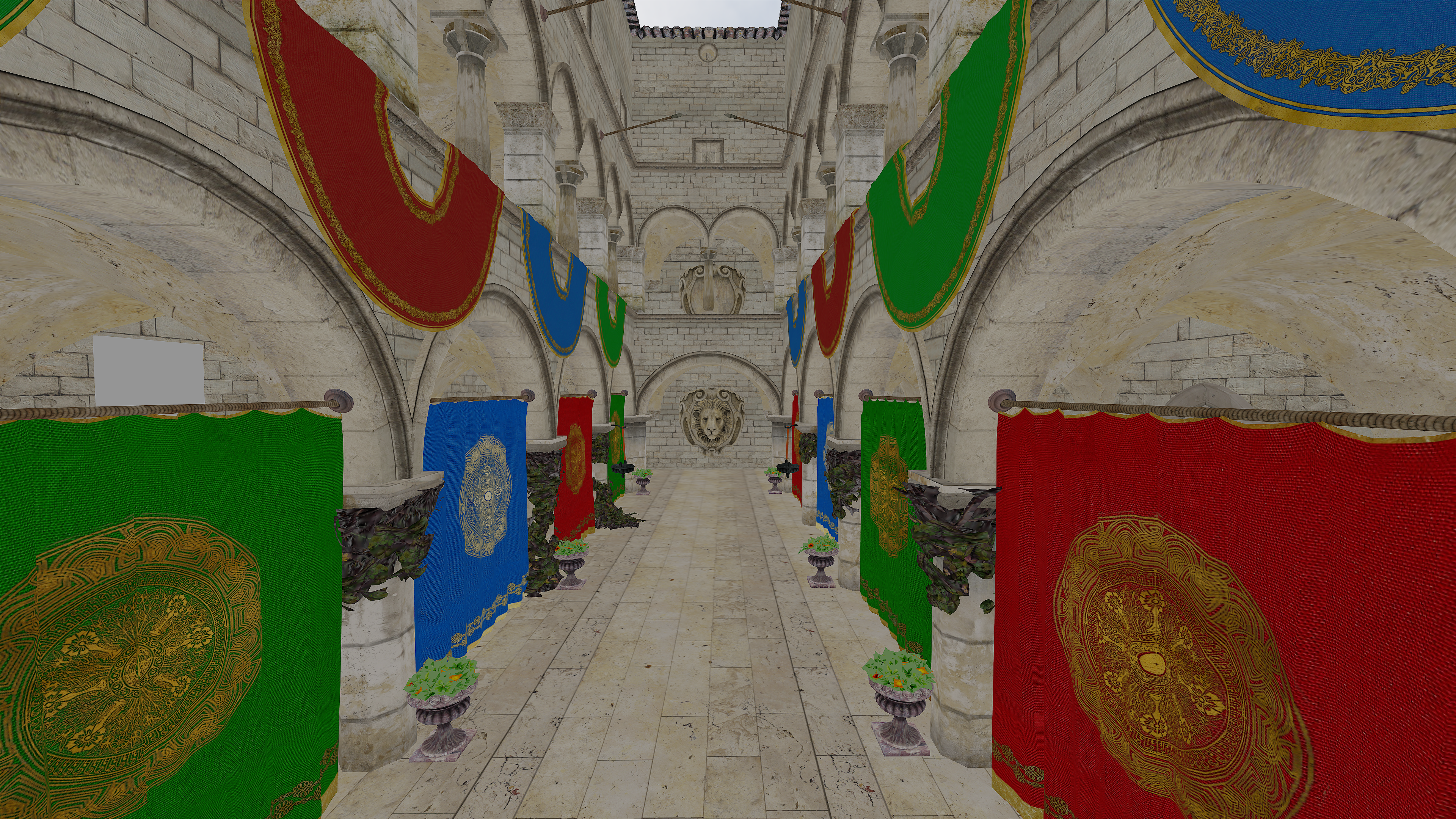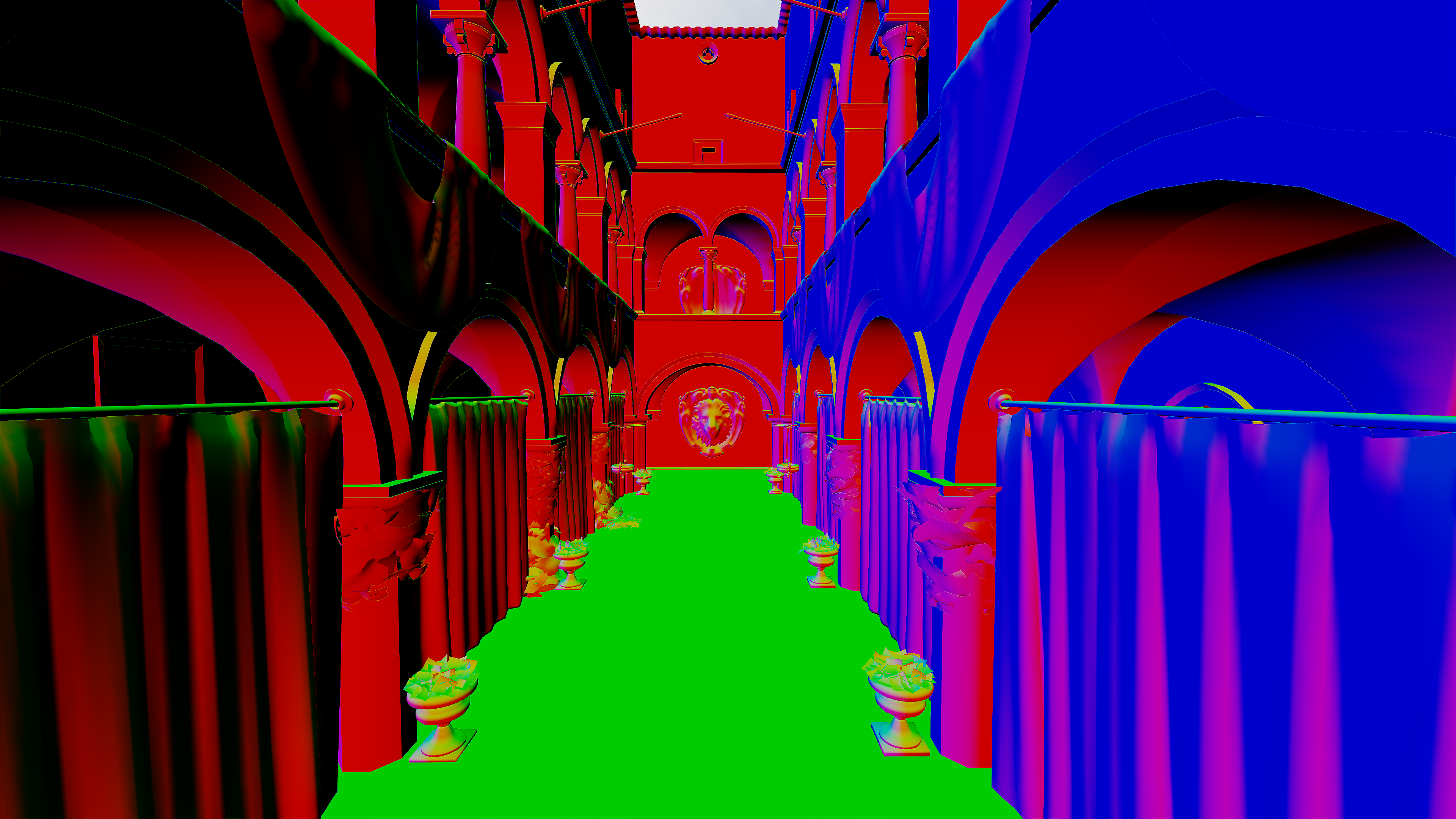
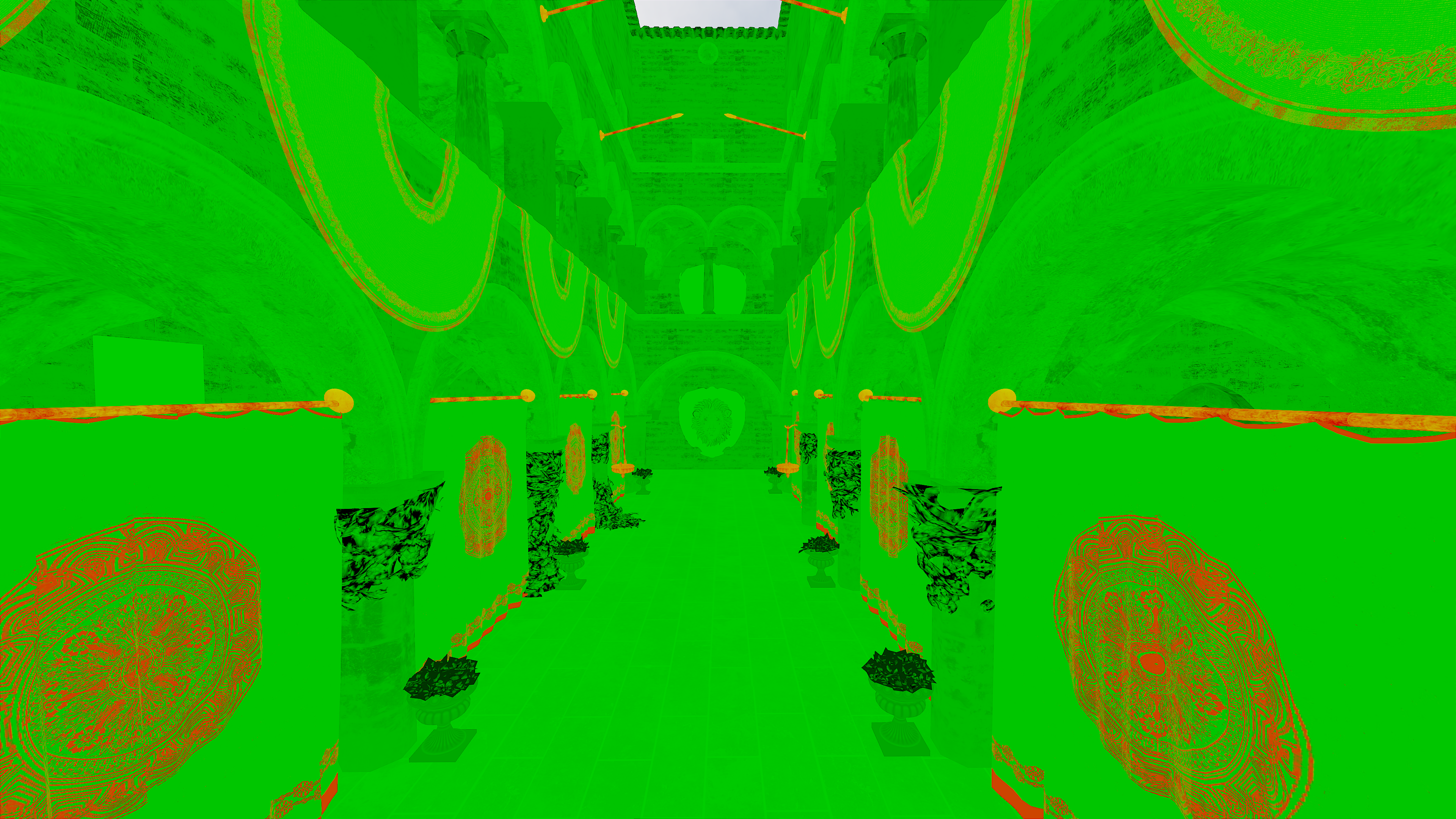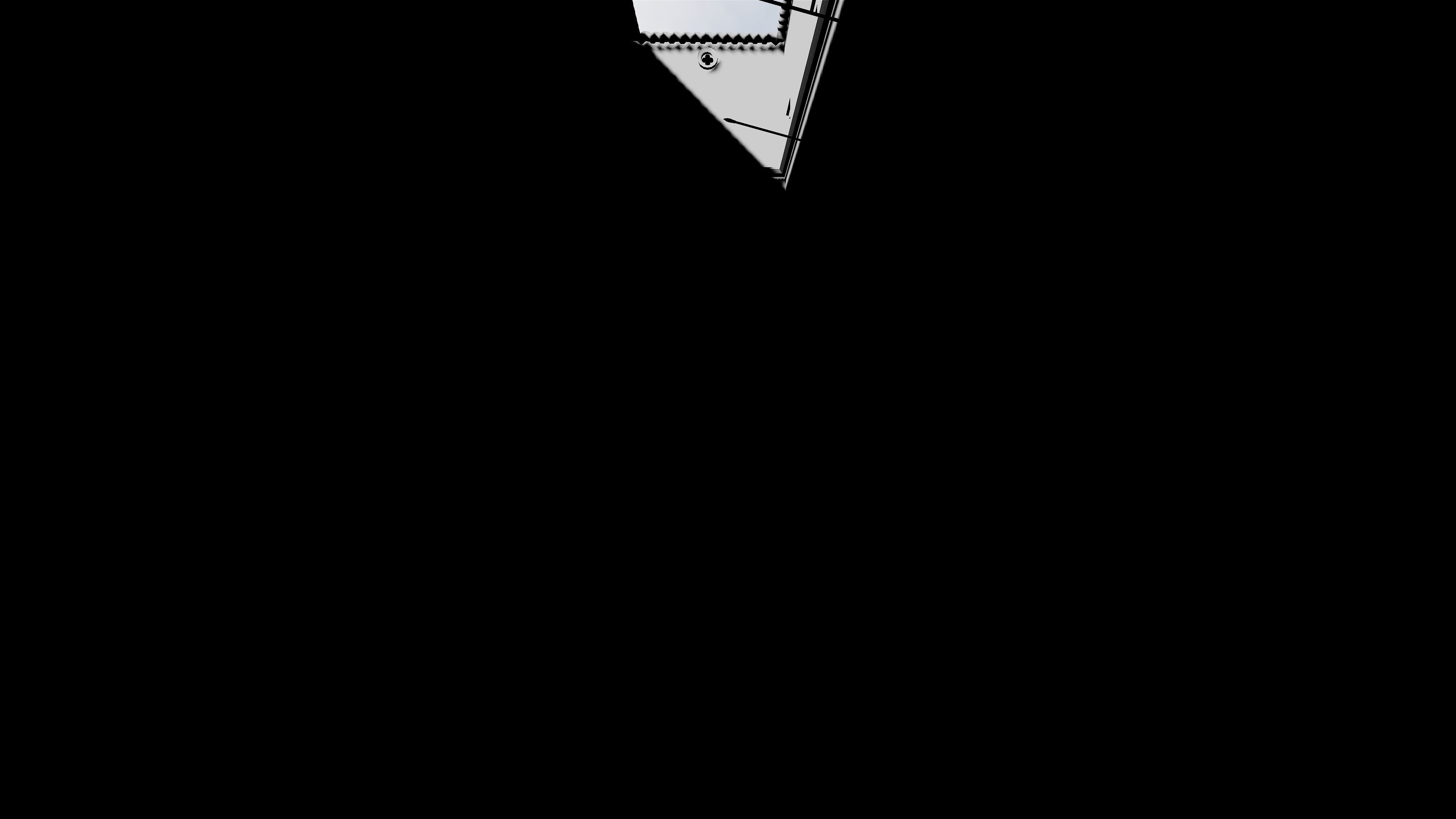
However, with how haphazardly I introduced debug code, the codebase was becoming extremely untenable. It was a gradual thing—the debug properties and ImGui setup started getting harder and harder to keep consistent in my mind. It didn’t really bother me at first, but eventually, it did.
(###) **Synchronization Issues**
I had been facing some synchronization issues for some time, and the shadow maps demonstrated this without a doubt:
- My TAA was fairly stable but showed some flickering in places where I knew it shouldn’t.
- The cascaded shadow maps displayed significant flickering that I knew wasn’t caused by any shader/code I wrote.
- When moving the camera, the shadow map would lag behind the actual position of the shadows.
This issue had been bothering me for a while. I initially assumed it was caused by some desync/state differences in my buffers, though I wasn’t sure where exactly the desync was coming from.
To isolate the issue, I constructed a minimal version of my engine by creating a new branch, extending from an earlier commit in my repository, and working from there. My renderer takes its structure from VkGuide, which uses a double-buffered architecture—allowing work on the next frame while the current frame is still rendering.
Well, I did not know (or maybe just forgot—perhaps VkGuide told me?) that each frame needs to have its own scene data buffer! Each frame writes to its own scene data buffer, and each frame references its respective buffer. This allows CPU logic to write to a separate buffer while each GPU frame reads the correct data for its respective frame.
I proved this by using the same buffer in a basic triangle render pass for two separate command buffers. The CPU would write into this single uniform buffer every frame, and I would also pass the same data through a push constant. Since push constants don’t require synchronization, this allowed me to compare the two. I passed the current frame number as the data needed to change every frame for a fair comparison. The shader would then compare the values from the uniform buffer and push constant and output different colors if they weren’t in sync.
```
// Frame Number from Uniform
layout (std140, set = 1, binding = 0) uniform SceneData {
...
int currentFrame;
} sceneData;
// Frame Number from Push Constants
layout(push_constant) uniform PushConstants {
int frameNumber;
} pushConstants;
```
```
// Value comparison in fragment shader
if (pushConstants.frameNumber == sceneData.currentFrame){
fragColor = vec4(0.0, 1.0, 0.0, 1.0);
} else {
fragColor = vec4(1.0, 0.0, 0.0, 1.0);
}
```
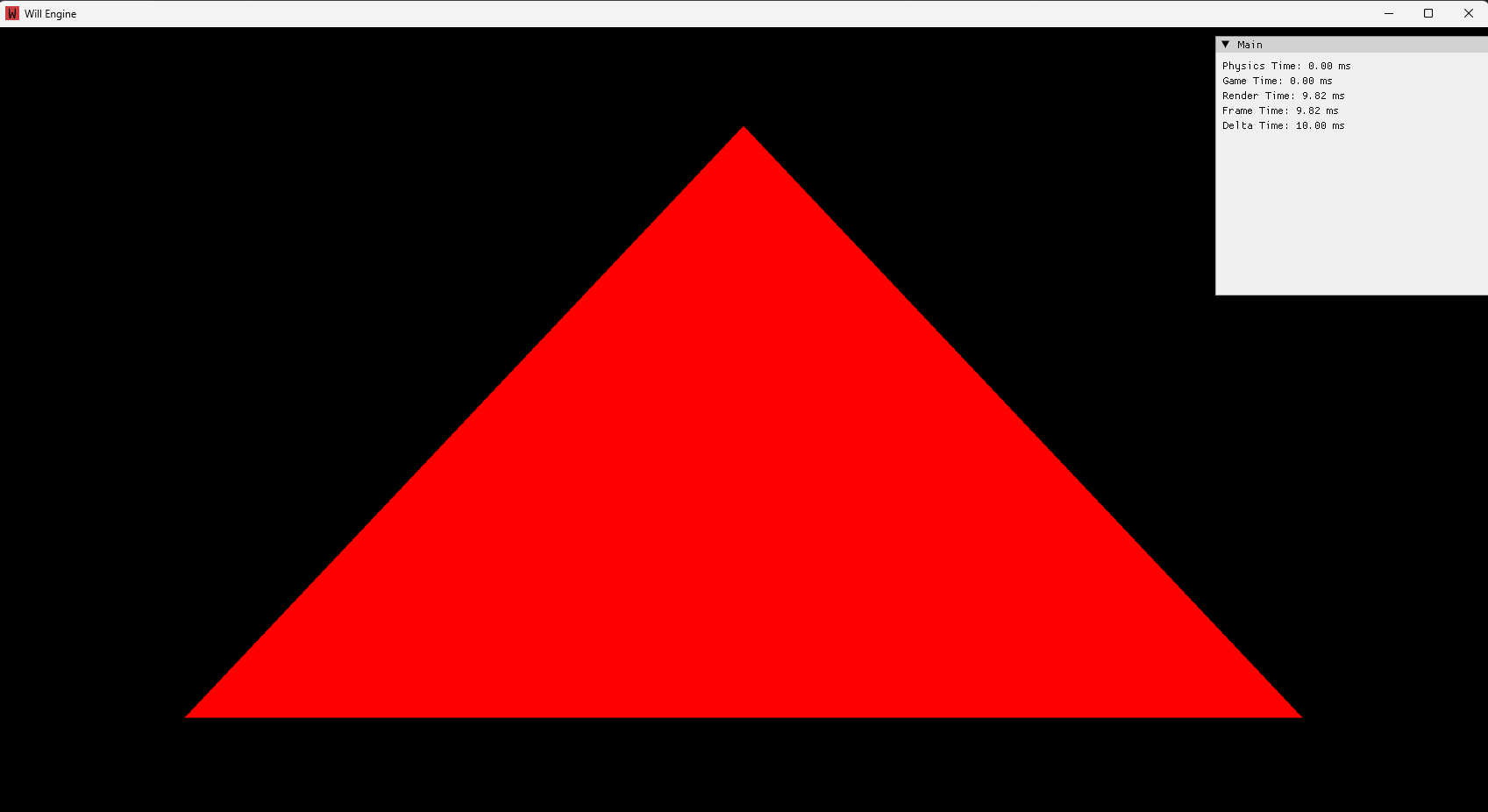
It's not much to look at, but this red triangle is pure evidence that they weren’t the same! The entire time, the output triangle showed that the two data sources were out of sync. Even more surprising, my intuition was wrong. I assumed the push constant was newer, but it turned out the buffer was newer. Once I realized that, it all clicked into place.
Of course the data in the buffer was newer! The CPU writes data into that buffer immediately, every frame. So while the program is still drawing Frame 20, the CPU queues up the command buffer for Frame 21, overwriting the uniform buffer. Then, when Frame 20 reads the buffer, it retrieves Frame 21’s data.
BOOM! Then the sinking feeling dawned on me: Any CPU->GPU data that changes every frame needs multiple buffer copies—one per frame.
But I was relieved to have found the source of the issue. Thankfully, I don’t have too much CPU->GPU data. Multiple buffers will probably only be needed for my cascaded shadow map data, scene data, and model matrices (at least for the dynamic ones). Seems expensive to have up to three copies (in a typically triple-buffered architecture) of the model matrix for all meshes, but I guess that’s just how it’s going to be.
(###) **Refactor**
Thing is… I had a long weekend coming up, I was somewhat unhappy with the state of the codebase, and I was already on another branch for testing. So I decided to do a full code review! Top to bottom, front to back—I reimplemented every single feature from my old engine into the new one. I restructured code, added namespaces, moved files around, made things slightly more extendable (in preparation for mesh skinning), and added:
* Compile shaders in Cpp rather than with slang with a bash script
* Added new interfaces - IRenderable, ITransformable, IHierarchical, IPhysicsBody. Additionally IRenderReference for game objects reference to the meshes in my render objects.
(###) **Music**
[David Gilmour - Luck and Strange](https://open.spotify.com/album/5ds8DFWVozMIxRP3qr5Vii?si=-aJ7rx4fTQmivr6ggQQjwQ)
[Elbow - AUDIO VERTIGO](https://open.spotify.com/album/7EpaPuPMFIwVLkEWz3gvSK?si=wAKp0343Q7yEjVLYt8UAvA)
[bar italia - The Twits](https://open.spotify.com/album/4E6TSZ1yHQ29TRvp8GiPv0?si=6KR7OdiKSCGqWY1ypU4yjg)
[George Harrison - All Things Must Pass](https://open.spotify.com/album/7j7lsExGJtBHLgDYzjclwk?si=2GdMGB0oQK2gfwK6By4tZQ)
P.S. I often put off finishing these journals because I have much more fun tinkering with the engine. So I just finished and uploaded this on 2025/02/16 even though the draft was pretty much finished on the initial date above (mostly the picture were a little annoying to get). This file is getting quite large so I plan for this to be my last journal entry in this document, maybe I'll use a different document every year - I think that makes sense.